🏔️ Terrain Editor – My Contributions
🔍 What It Does
The Custom C++ Terrain Editor is a solo-developed terrain sculpting tool and rendering system built in C++ using OpenGL. It enables real-time terrain editing via an intuitive brush interface, allowing users to raise/lower terrain, flatten areas, smooth contours, and scatter foliage—all with visual feedback. It also includes dynamic heightmap-based terrain rendering and an interactive camera system for navigation.
This project served as the predecessor to the Terrain Editor in Fire Ant, laying the groundwork for compute-driven tools and brush architecture used in later engine projects.
🔨 My Contributions
🌄 Terrain Rendering
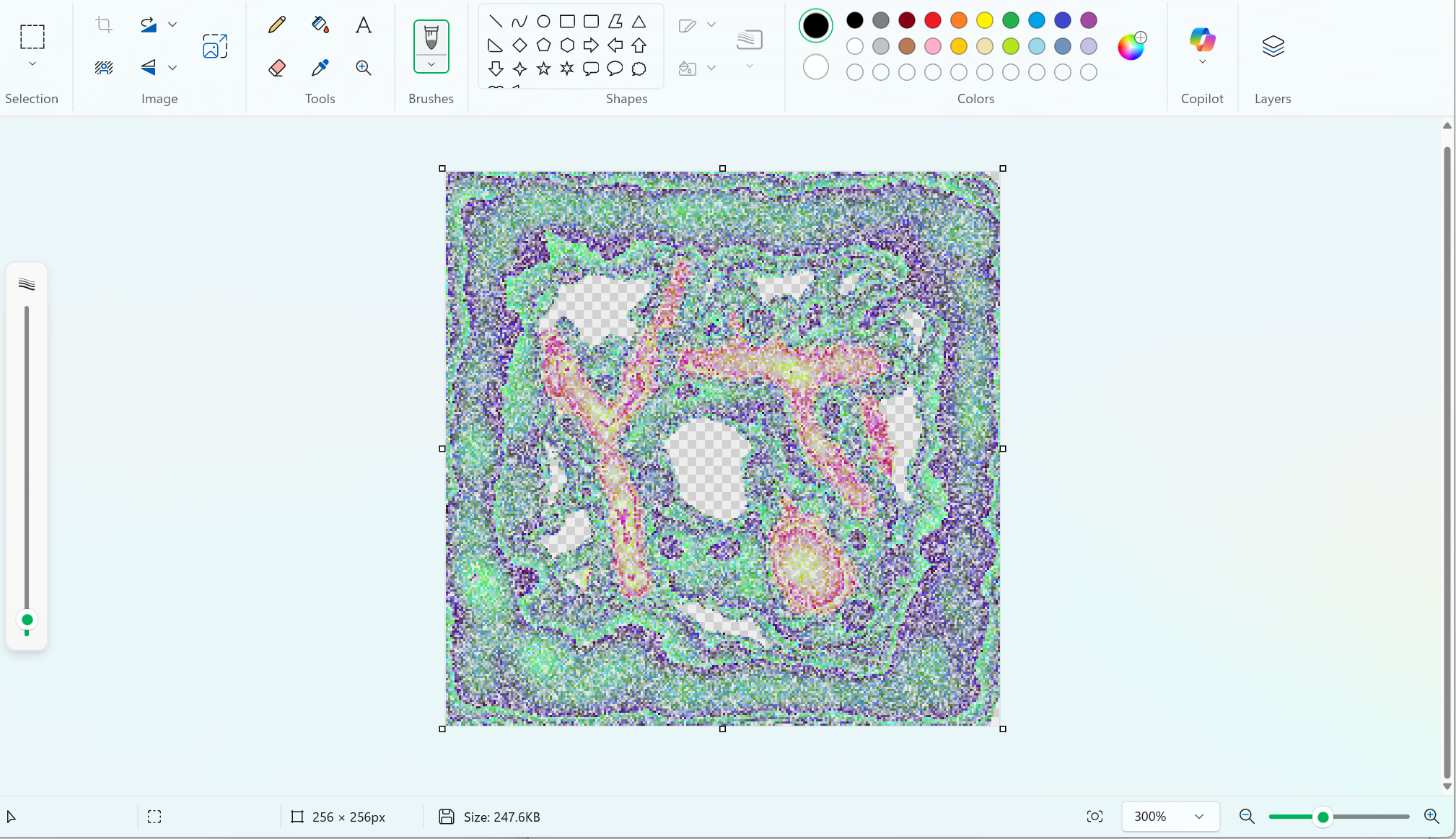
I built a full rendering pipeline for heightmap-displaced terrain using a custom vertex shader that dynamically adjusts vertex positions based on height texture values.
Key Features:
- Real-time terrain displacement using heightmap textures.
- Per-pixel normal calculation in vertex shader using height differentials.
- Visual terrain sculpting directly reflected in mesh deformation.
Challenges:
- Implementing dynamic normals in shader for accurate lighting.
- Encoding and decoding 32-bit float height values in RGBA textures.
- Integrating seamlessly into the existing BEE rendering system.
🖌️ Brush System
I developed a fully functional brush-based editing interface that modifies terrain heightmap data in real time. Each brush operates on a targeted region and modifies texture data on the CPU before uploading it back to the GPU.
🧱 Raise and Lower Brush
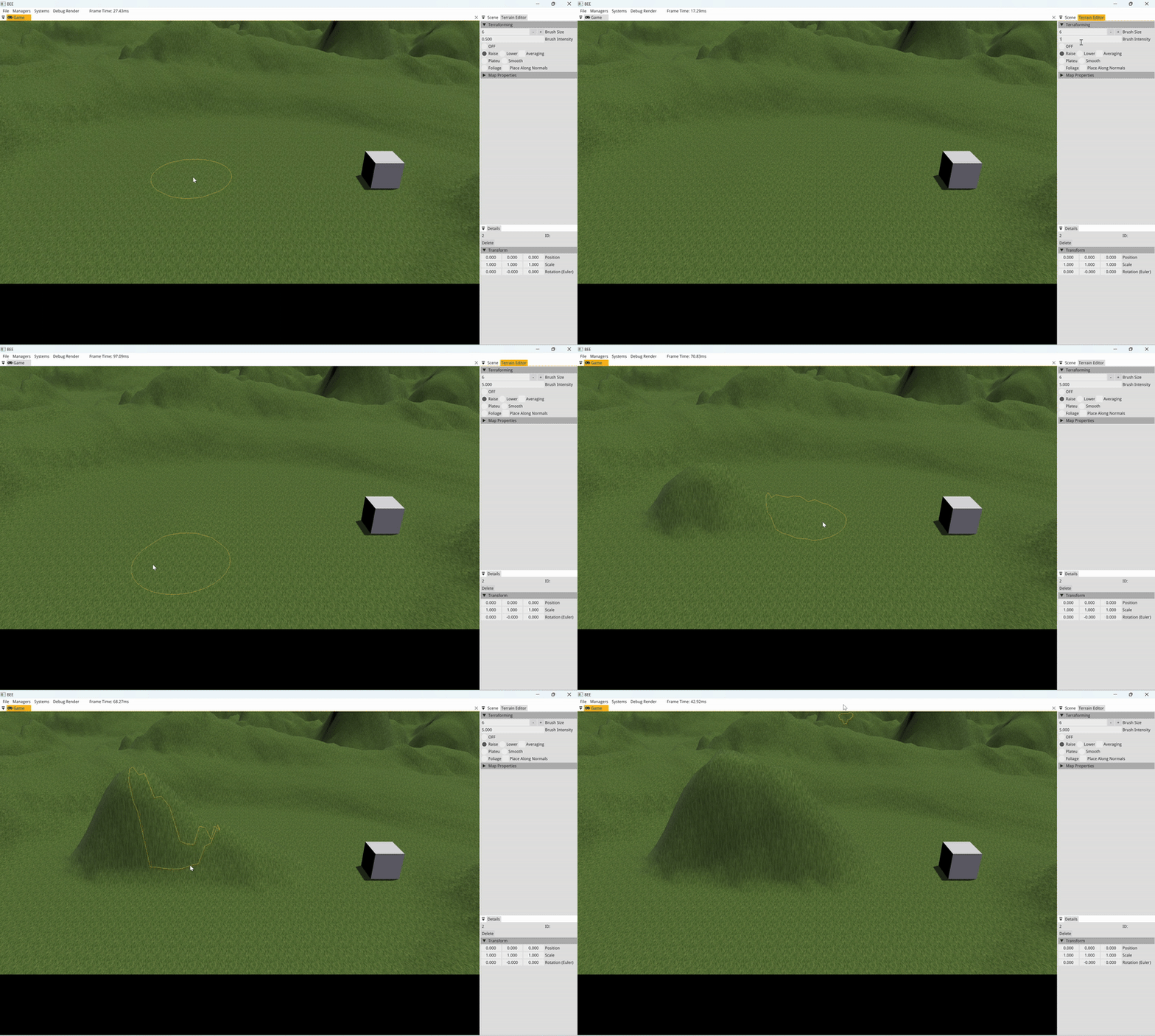
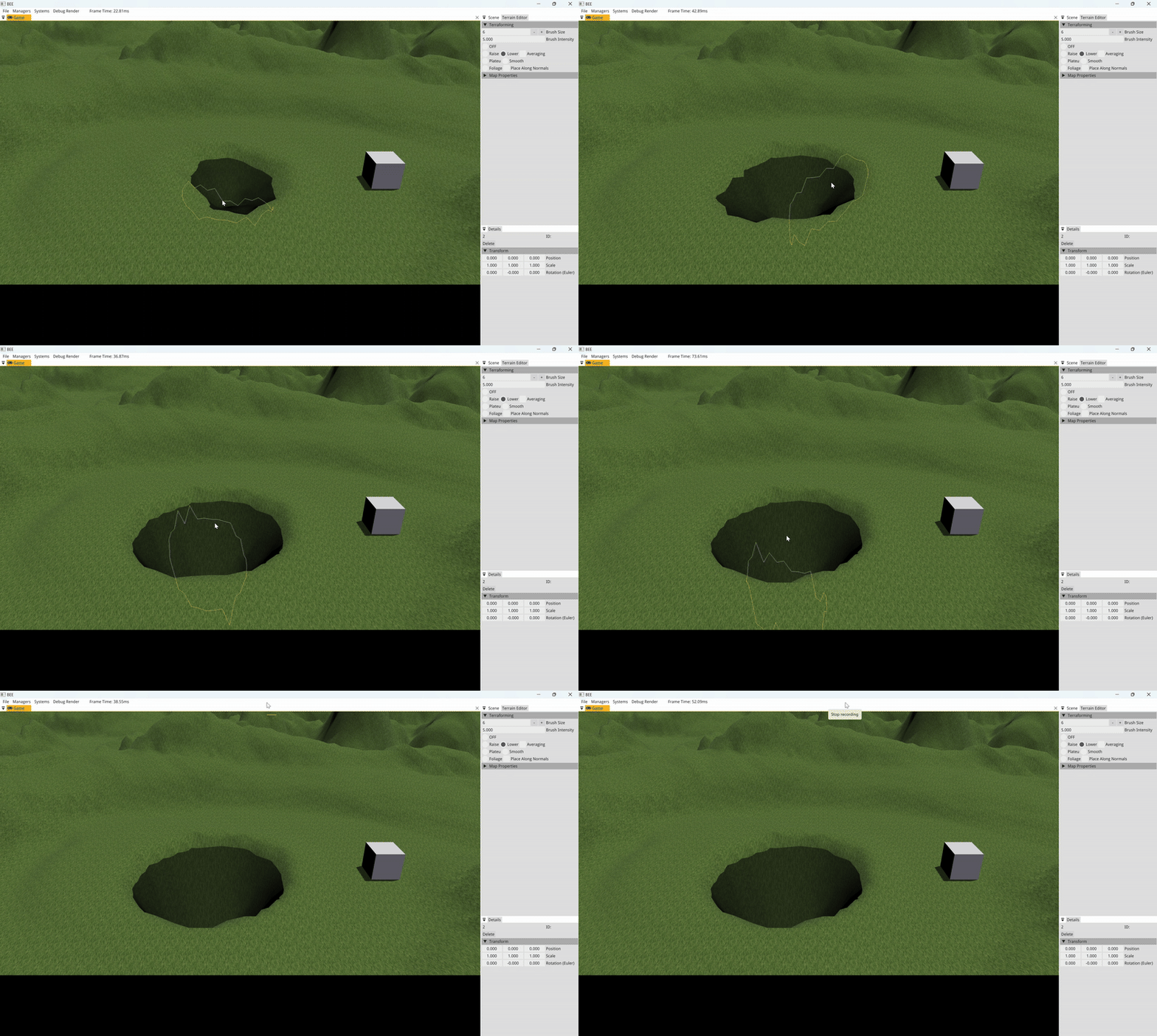
What It Does: Raises or lowers terrain in a circular region using a Gaussian distribution, with optional “average terrain” filtering to sculpt only selected elevations.
Key Features:
- Brush size controlled via GUI and keyboard shortcuts (
[and]). - Gaussian falloff for natural hills and valleys.
- Optional averaging mode for smoother sculpting.
Challenges:
- Precision sampling and modification of texture regions.
- Efficient GPU upload via
glTexSubImage2D. - Integrating user-defined intensity, radius, and direction.
🏔️ Plateau Brush
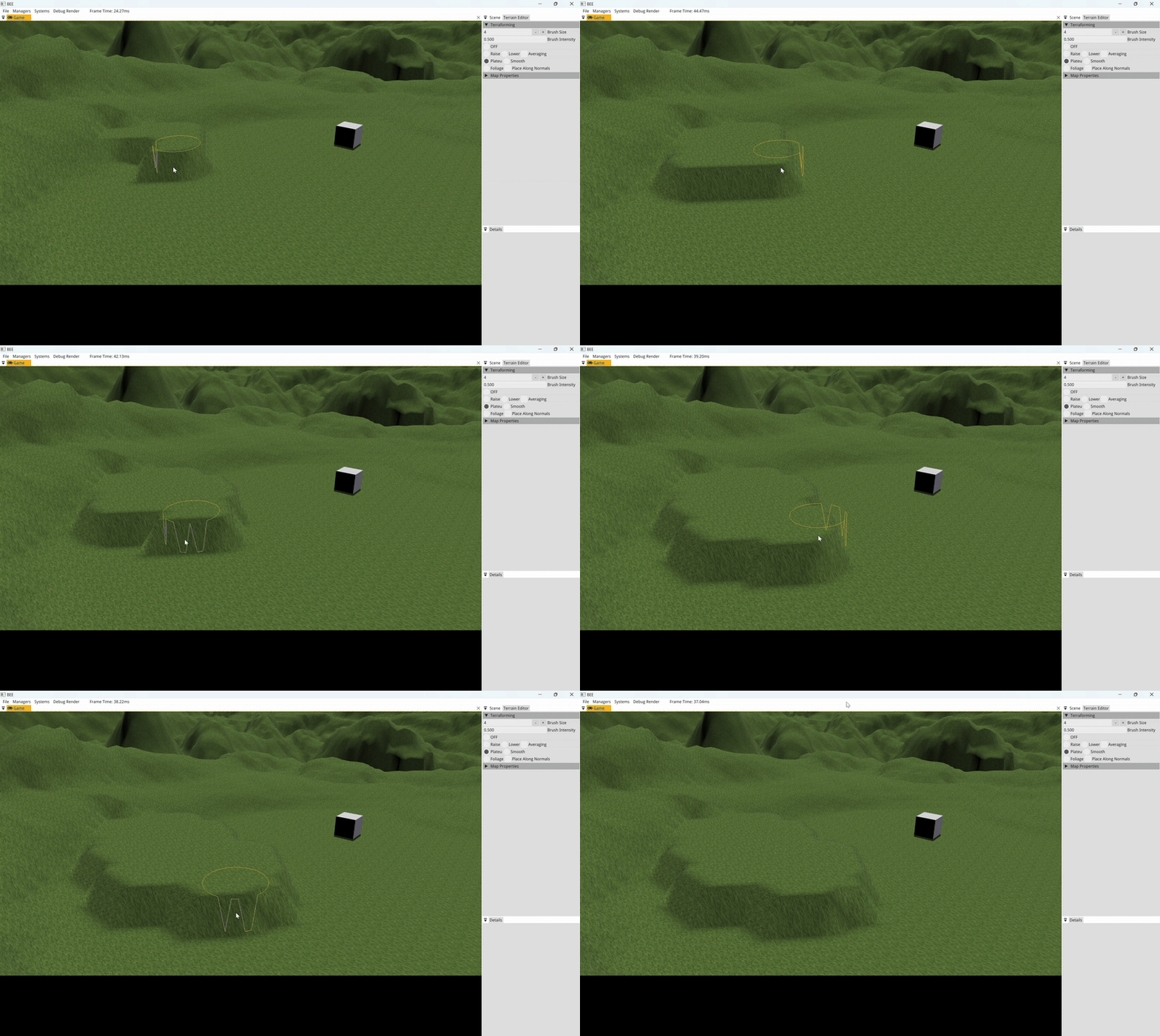
What It Does: Flattens terrain within the brush area to a target height—either manually set or sampled from the terrain via mouse click.
Key Features:
- Terrain sampling for real-time height targeting.
- Sharp yet smooth edges using distance-based Gaussian blending.
- Adjustable brush shape and diameter.
Challenges:
- Real-time sampling and synchronization between UI and edit operations.
- Balancing falloff and accuracy to prevent unnatural flat zones.
🧩 Smoothing Brush
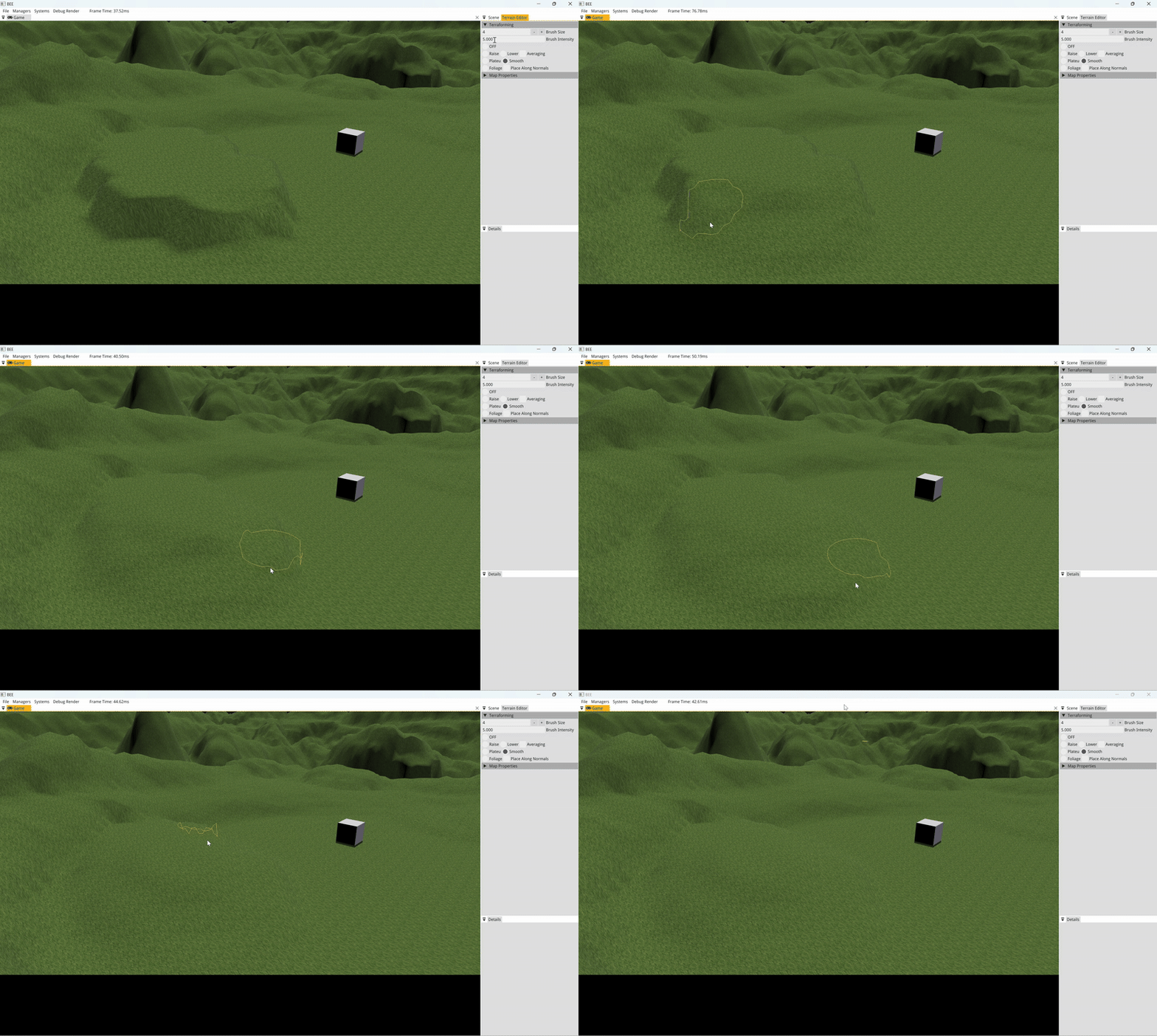
What It Does: Averages surrounding terrain to eliminate sharp edges and create smooth transitions between sculpted features.
Key Features:
- Computes average height of brush region and nudges local points toward it.
- Effective for softening harsh elevation changes.
Challenges:
- Preventing over-smoothing and maintaining natural detail.
- Efficient height sampling and buffer handling.
🌳 Foliage Brush
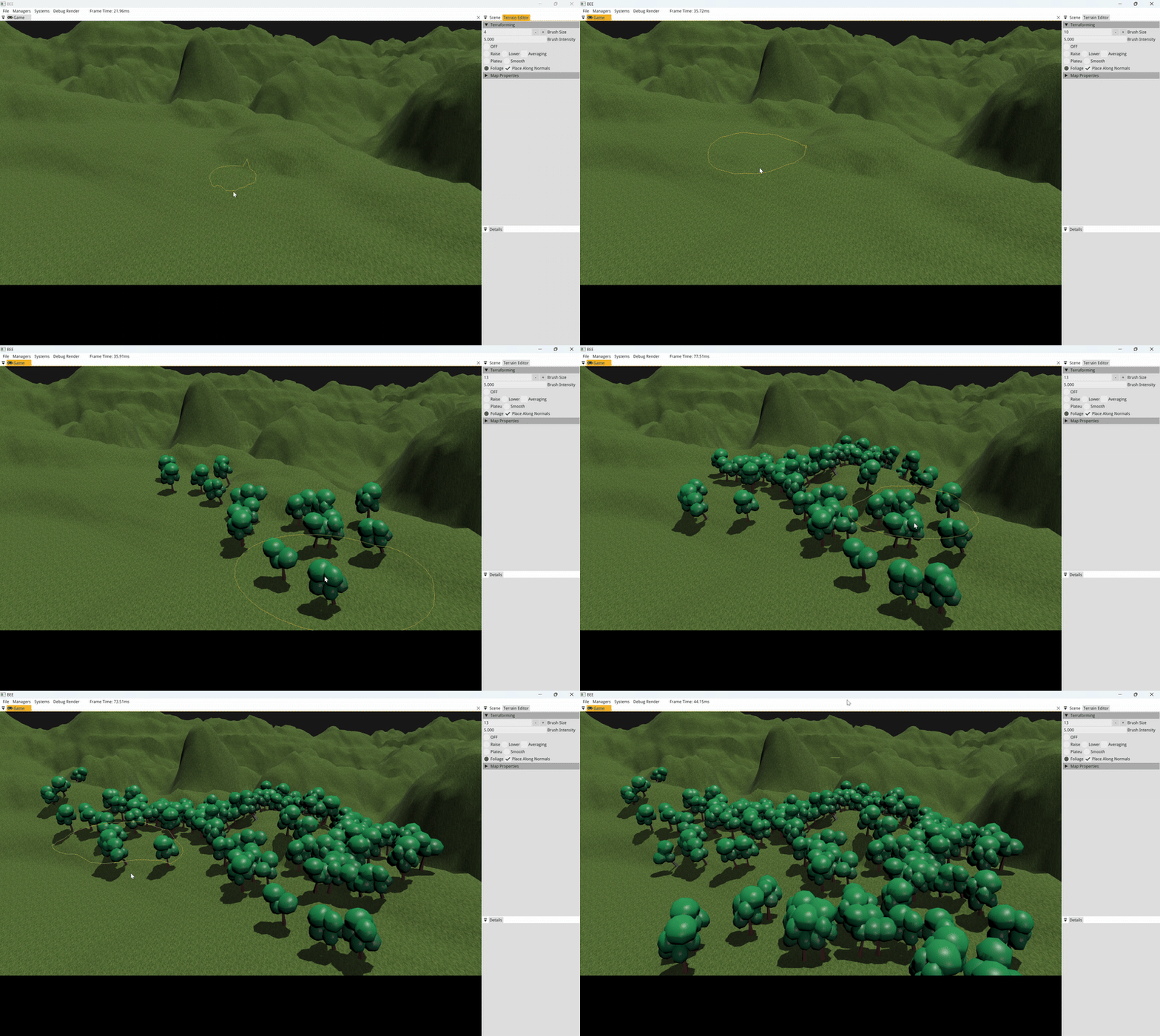
What It Does: Spawns props (like trees) along terrain, with random scattering and optional alignment to terrain normals.
Key Features:
- Real-time prop spawning based on brush area.
- Placement along surface normals using dynamic heightmap-based normal calculation.
- Supports arbitrary models (trees, rocks, etc.).
Challenges:
- Calculating normals in CPU-space based on sampled height differences.
- Aligning rotation to match surface orientation (quaternion math).
- Managing object instancing and entity creation.
🕹️ Camera System
I implemented a free-fly 3D camera system with full keyboard and mouse support to allow intuitive navigation across the terrain.
Key Features:
- WASD + QE movement controls with Shift-based speed boost.
- Mouse-based pitch and yaw using quaternion math.
- Camera frustum integration for viewport interaction.
Challenges:
- Handling mouse sensitivity and orientation smoothly across all axes.
- Ensuring intuitive controls within an ImGui-driven editor.
🧠 Key Engineering Techniques
- Raycasting from screen to world space for accurate brush placement.
- UV coordinate derivation from 3D brush position to texture space.
- Brush zone sampling & editing using bounding box logic on heightmaps.
- Efficient GPU I/O via partial
glTexSubImage2Dupdates. - Gaussian weight distribution for natural deformation.
- Normal vector reconstruction from sampled height gradients.
🎯 Impact
This project taught me the fundamentals of shader-based terrain deformation, interactive editor systems, and real-time tool development. It directly led to major architectural improvements in later projects like the Terrain Editor in Fire Ant.
My brush system, heightmap-based editing, and real-time feedback loop laid a reusable foundation for more scalable GPU-powered editing tools.